set up your automatic investment
You've choosen your monthly amount. Now let's put your investing on autopilot. In a few minutes, you'll have a recurring monthly investment in VUAA.
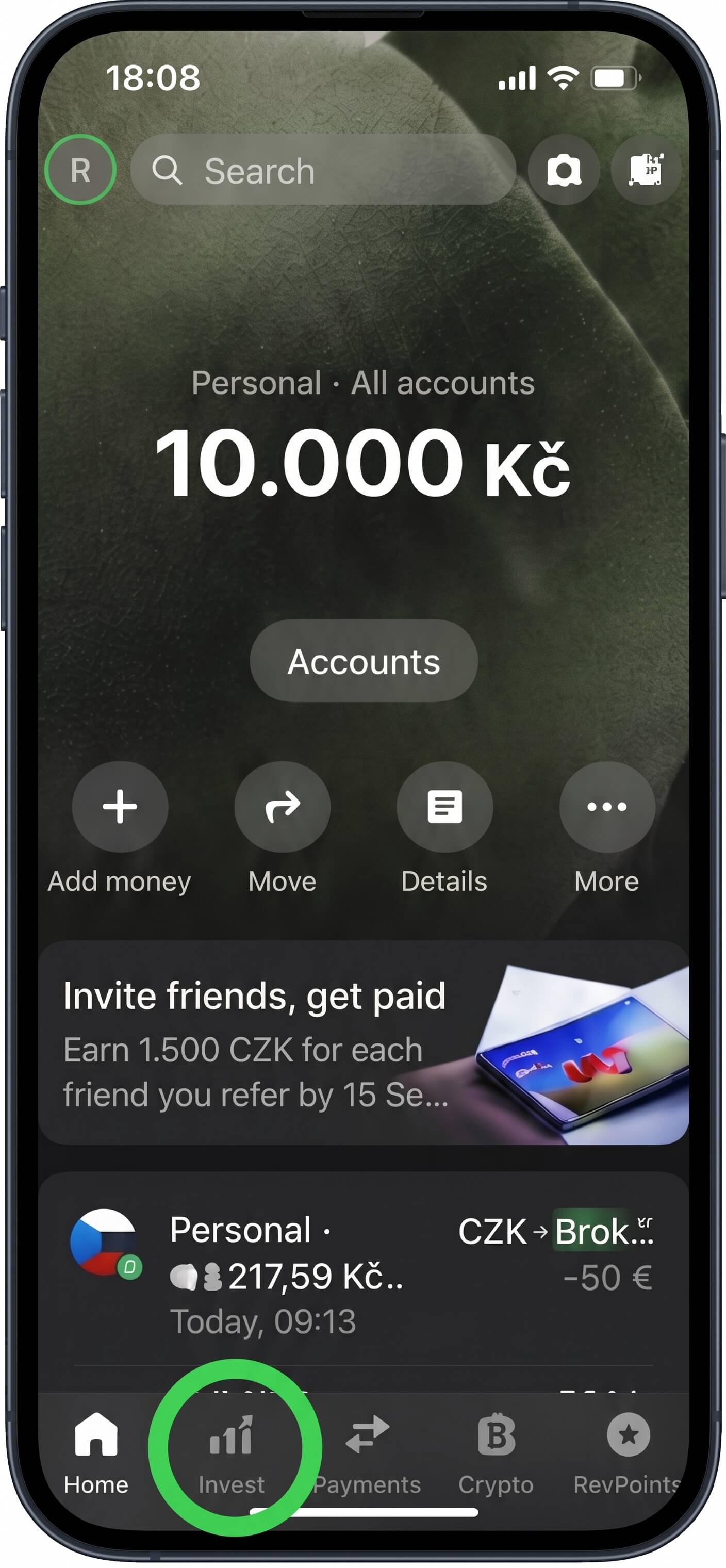
1. Open Invest
Open the Invest tab in Revolut.
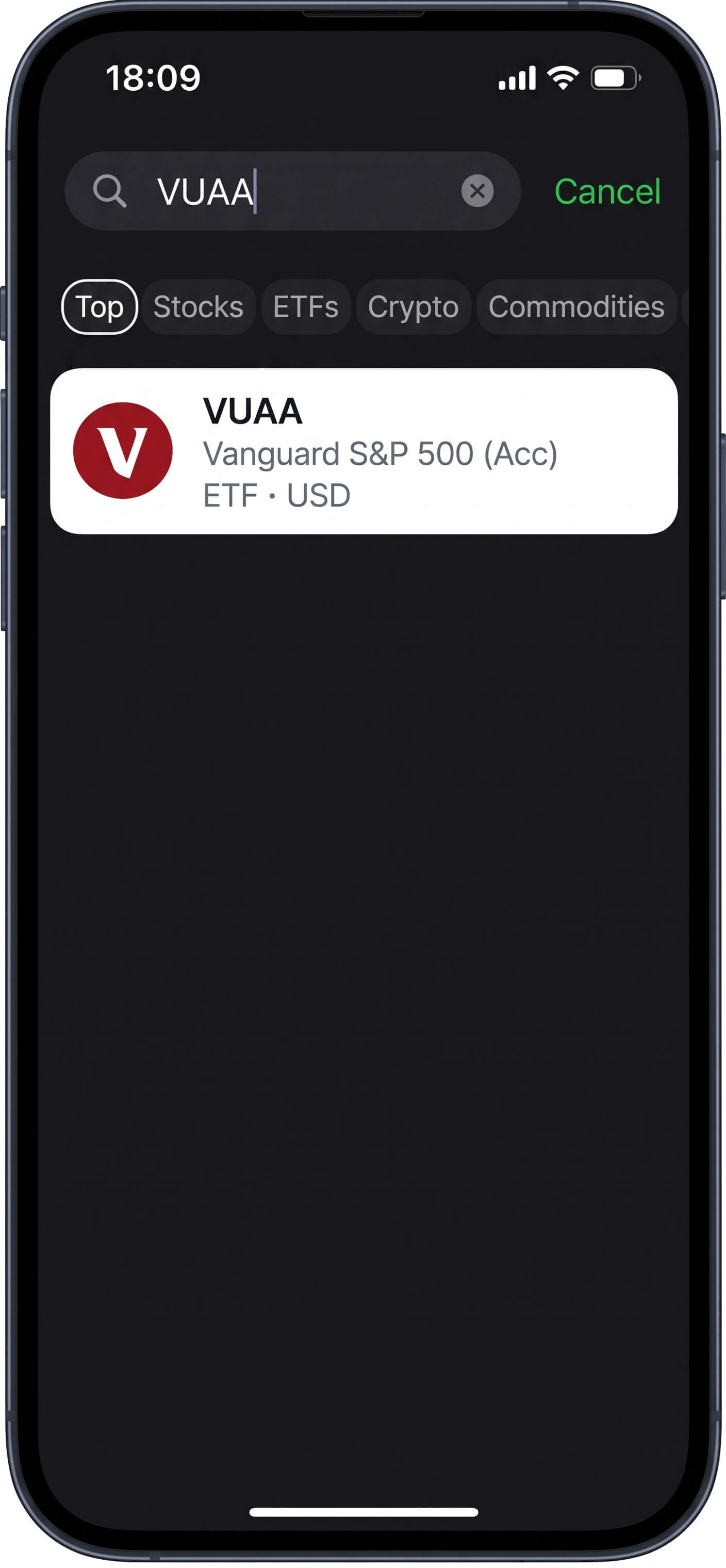
2. Search for VUAA
Search for "VUAA" (Vanguard S&P 500).
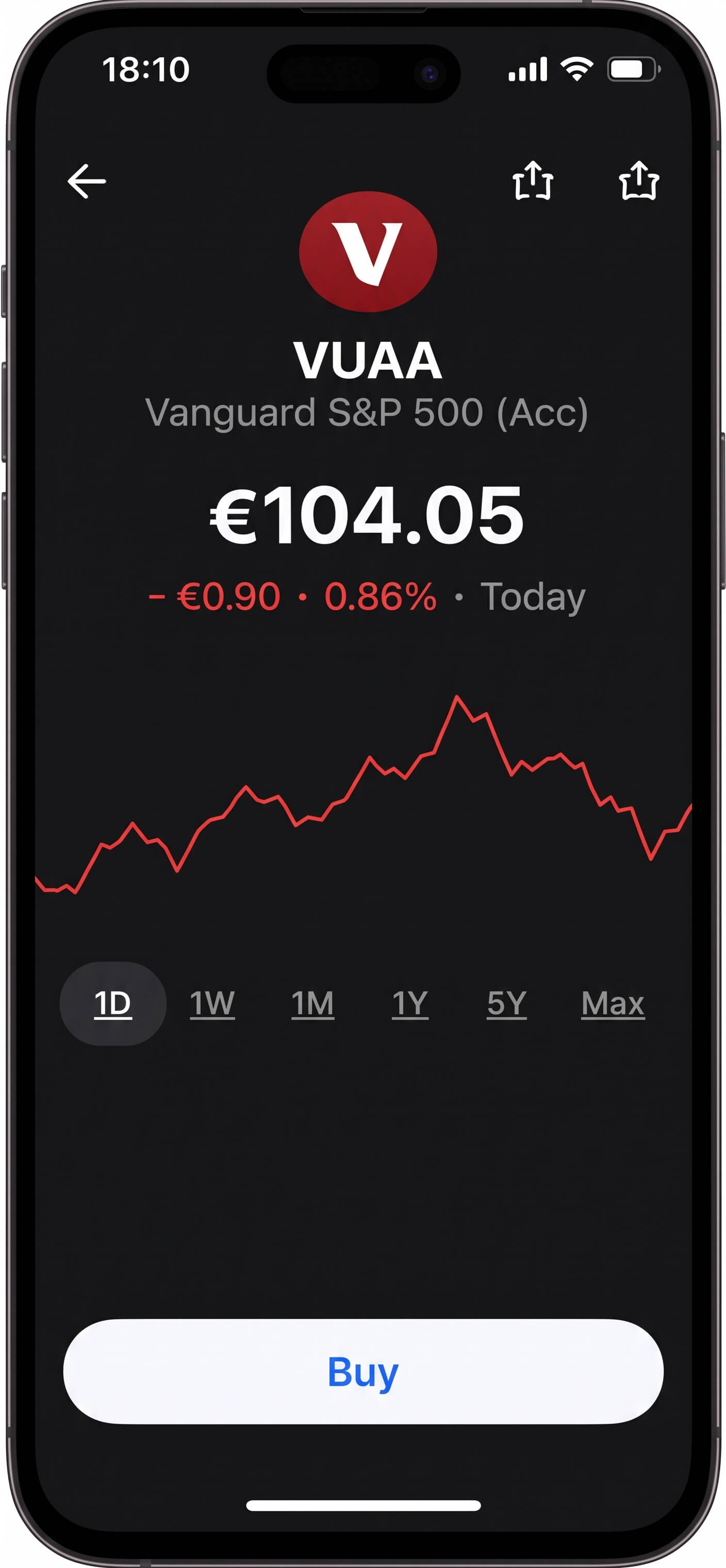
3. Tap Buy
Tap the Buy button on the VUAA screen.
4. Set up recurring
Choose recurring buy and enter your monthly amount.
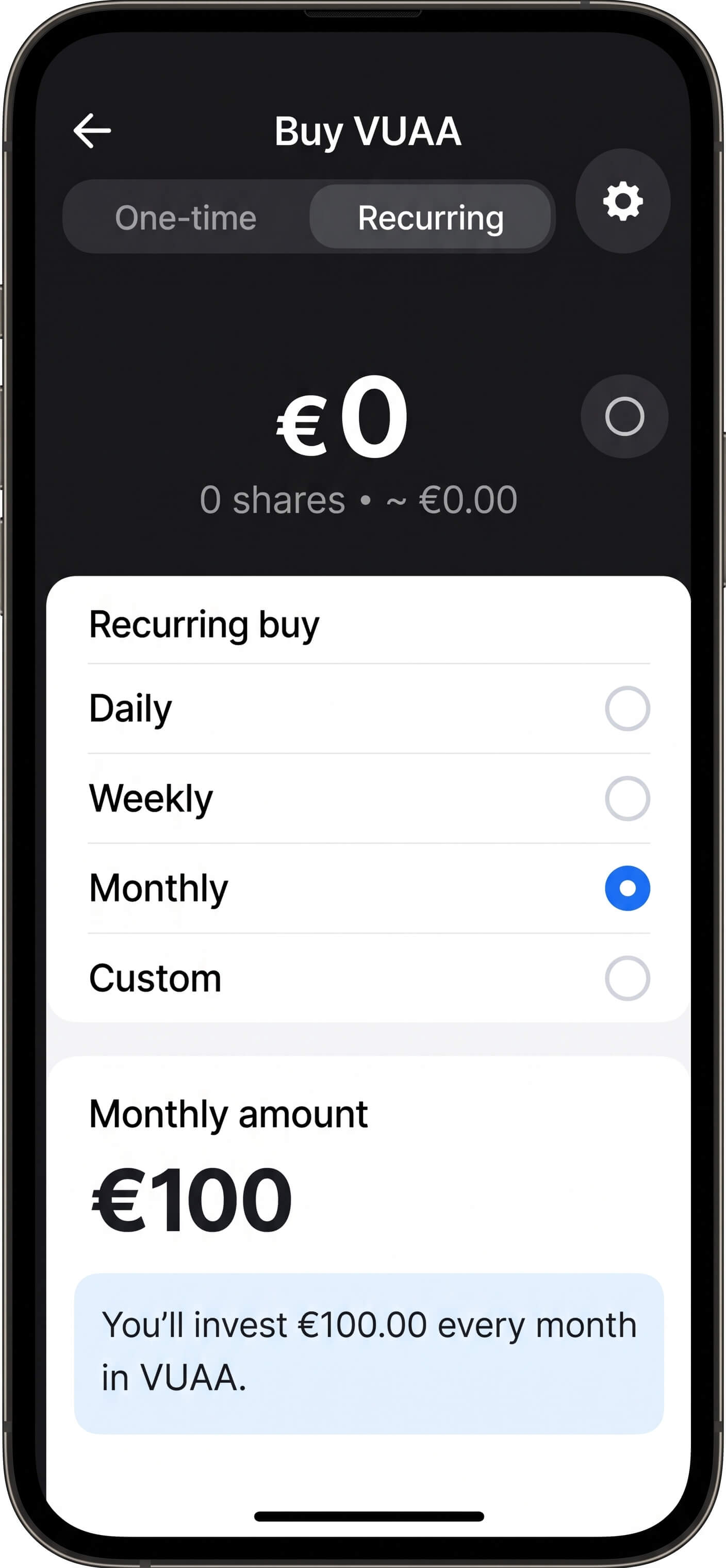
Your Revolut screen may look slightly different depending on your country or app version, but the steps are always very similar.
AUTO-INVEST CONFIRMATION